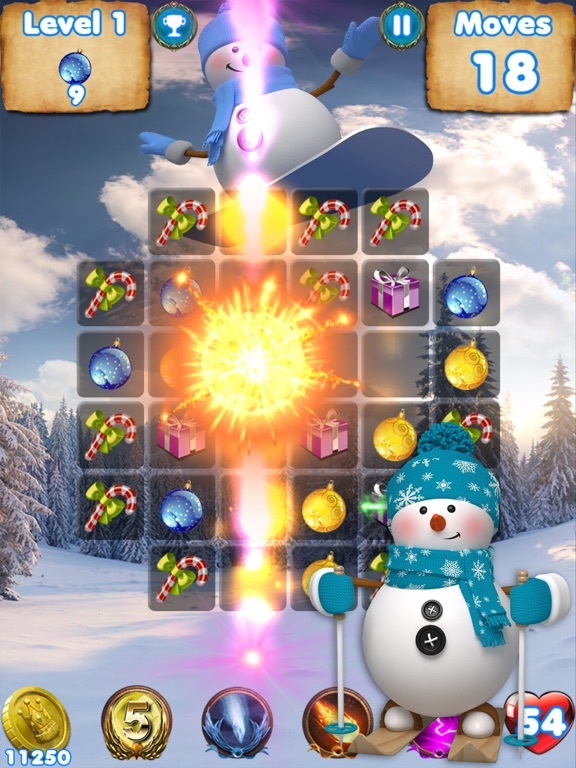
Frozen Snowman - Santa Tracker · RAWG · Courtesy of RAWG
Google Santa Tracker
Sign in to saveAlso known as Santa Tracker
website designed by Google simulating the tracking of Santa Claus
Game details · IGDB
Google Santa Tracker is an annual Christmas-themed web game first launched in 2004 by Google that simulates the tracking of the legendary character Santa Claus on Christmas Eve, using predetermined location information. It also allows users to play, watch, and learn through activities that are added daily in December.
- Released
- 2004
- Genres
- Arcade
- Platforms
- Web browser
- Game modes
- Single player
- Developer
- Publisher
Source code
This repository contains the code to Google Santa Tracker, an educational and entertaining tradition for the December holiday period. We hope you find this source code interesting. In general, we do not accept external contributions from the public. You can file bug reports or feature requests, or contact the engineering lead Jez Swanson. Santa Tracker supports evergreen versions of Chrome, Firefox and Safari. It also supports other Chromium-based browsers (Edge, Opera etc). Santa Tracker is split up into different scenes. Each page on the Santa Tracker corresponds to one scene, including the main village page, modvil. The scenes are in the static/scenes/ directory. Each scene is loaded as an iframe, and is relatively self contained. The host part of the site handles the loading of each scene, as well as the music and common UI, like the game score or tutorial. There's an API between the host and the scenes, which allows the host to notify the scenes when events like the scene loading happens, and allows the scenes to tell the host to do things like play a song or update the score. Clone and run yarn or npm install to install deps, and run ./serve.js to run a development server. The development URL will be copied to your clipboard. The serving script ./serve.js will listen on both ports 8000 and 8080 by default. Port 8000 serves the host part of the site (this corresponds to the production domain), and port 8080 serves the static content, including the scenes. Scenes are fundamentally just pages loaded in an . You can write them in any way you like, but be sure to call out to the "host" to play audio, report scores, or request other things like the display of tutorials. Create the static/scenes/sceneName folder, adding index.html , which runs code in ES modules only: The build system provides a virtual file system that automatically compiles various source types useful for development and provides a number of helpers. This includes: .css files are generated for their corresponding .scss .json is generated for their corresponding .json5 The static/scenes/sceneName/:closure.js file can be read to compile an older scene's js/ folder with Closure Compiler, providing a JS module with default export. These files don't actually exist, but are automatically created on use. For example, if foo.scss exists, you can simply load foo.css to compile it automatically. When writing SCSS, the helper rel(path.png) generates a url() which points to a file relative to the current .scss source file—even imports. The source file static/src/magic.js provides various template tag helpers which, while real functions, are inlined at release time. These include: Also, Santa Tracker is built using JS modules and will rewrite non-relative imports for node modules . For example, if you import {LitElement} from 'lit-element'; , this will be rewritten to its full path for development or release. As well as JavaScript itself, Santa Tracker's development environment allows imports of future module types: CSS, JSON and HTML. When possible support touch, keyboard, and gamepad input. Note that basic gamepad support is offered via synthetic keyboard events in keys.js. Santa Tracker uses an audio library known which exists in the prod "host" only, but can be triggered by API calls in scenes. This is largely undocumented and provided by an external vendor. If you're interested in the audio source files, they are in the repo under static/audio (and are licensed, as mentioned below, as CC-BY). The audio library plays audio triggers which play temporary sounds (e.g., a button click) or loops (audio tracks). Scenes can be configured with audio triggers to start with (via api.config({sound: [...]}) ) which will cause all previous audio to stop, good for shutting down previous games. Santa Tracker contains translations for a variety of different languages. These translations are sourced from Google's internal translation tool. If you're adding a string
Excerpt from the source-code README · 8,218 chars · not written by Vinony
Wikidata facts
- Instance of
- video game
- Depicts
- Santa Claus
- Developer
- Platform
- Android
- Game mode
- multiplayer video game
- Distribution format
- digital distribution
- Official website
- santatracker.google.com
- Image
- Google Santa Tracker After Santa’s Return.jpg
Show 9 more facts
- input device
- touchscreen
- operating system
- Android
- publication date
- 2004-11-30
- inception
- 2004-11-30
- distributed by
- Google Play
- language of work or name
- Spanish
- source code repository URL
- github.com/google/santa-tracker-android
- copyright license
- proprietary license
- software version identifier
- 2019
via Wikidata · CC0